Your stories live on your machine.
PlotForge Desktop is privacy-first novel writing software with built-in private AI, a narrative-aware consistency engine, a manuscript review mode with twelve analyzers, series continuity that keeps every book in a saga in sync, and a one-time license. No cloud dependency. No subscription. Just your work, stored locally, with AI that never leaves your computer.
14-day free trial with full access. No credit card required.
14 days. Every feature unlocked. No usage caps.
Already decided? Purchase a license for $79Signed & notarized
Code-signed for Windows. Notarized for macOS. No SmartScreen or Gatekeeper warnings.
14-day refund
No questions asked. Email us within two weeks of purchase and you're done.
8 GB RAM minimum
16 GB recommended for larger Ollama models. Runs on most laptops made in the last five years.
~10 MB download
Current version v1.4.28. Built by Loophead Labs LLC.
Click to view full size
Why Desktop?
Everything the cloud can't give you.
We started as a web app with 800+ writers. They kept telling us the same thing: store our work locally. So we rebuilt PlotForge from the ground up as a native desktop app.
Your files. Your machine. Period.
Every word you write is stored in a local SQLite database on your computer. No servers, no syncing anxiety, no wondering who else can read your manuscript.
AI that stays private
Run AI writing assistance locally through Ollama or LM Studio. Your characters, your plot twists, your unpublished ideas never leave your machine. No API keys required, no per-word charges, and no usage caps. Even during the 14-day free trial.
Pay once. Write forever.
$79 one-time purchase. No monthly fees, no annual renewals, no feature gates. Free updates included.
Runs everywhere
Native apps for Windows (.msi), macOS (.dmg), and Linux (.AppImage, .deb). Built with Tauri for near-native performance without the bloat of Electron.
Built for Novelists
12 tools. One workspace.
A complete book writing app that ships with everything you need to go from first spark to finished manuscript, including revision-grade analytics, without juggling separate tools.
Idea Board
Capture and organize story ideas, what-ifs, and inspiration before they slip away.
Outline
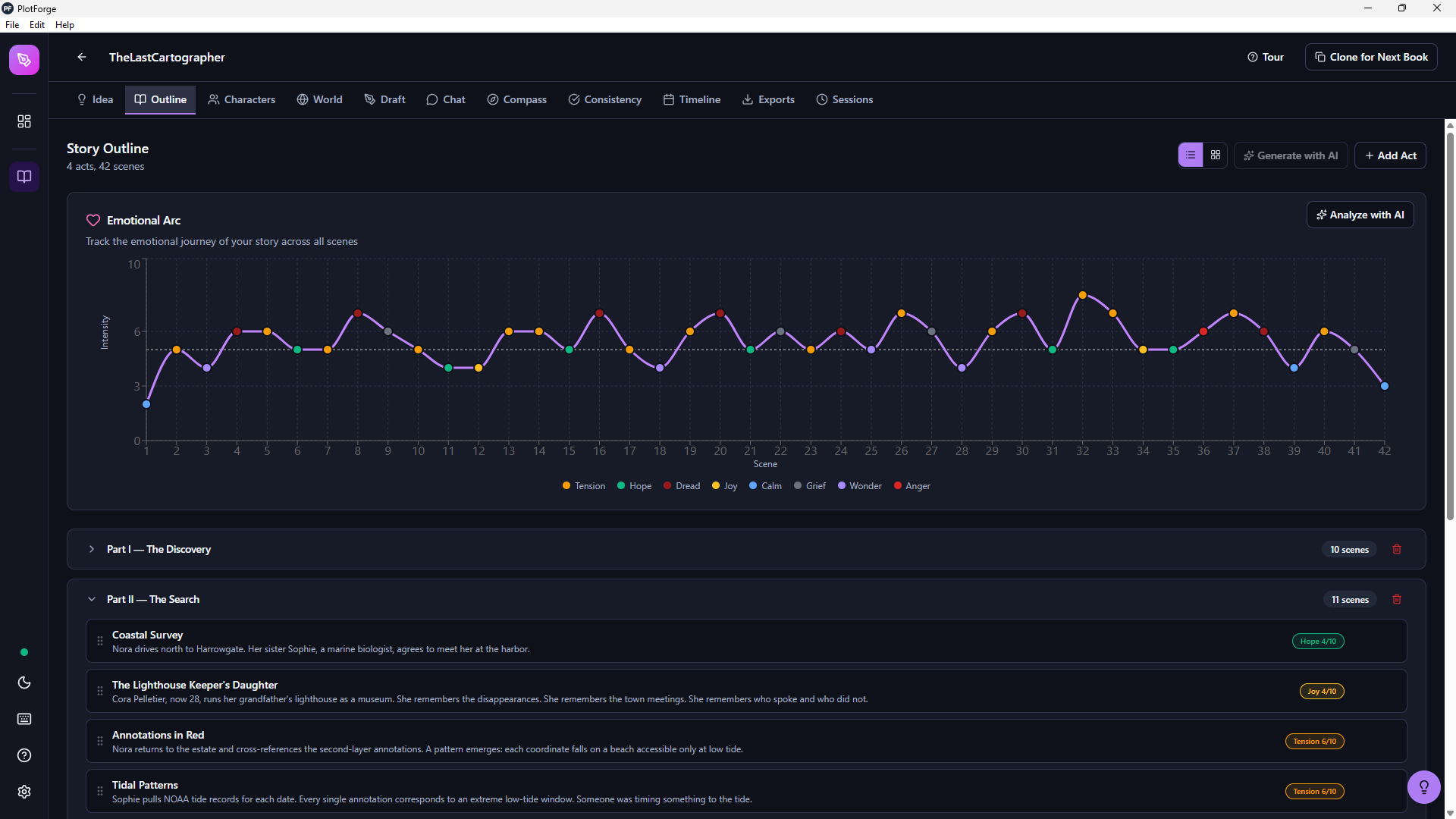
Structure your novel with drag-and-drop scenes, acts, and chapters. AI regenerates a single act or scene without disturbing the rest.
Characters
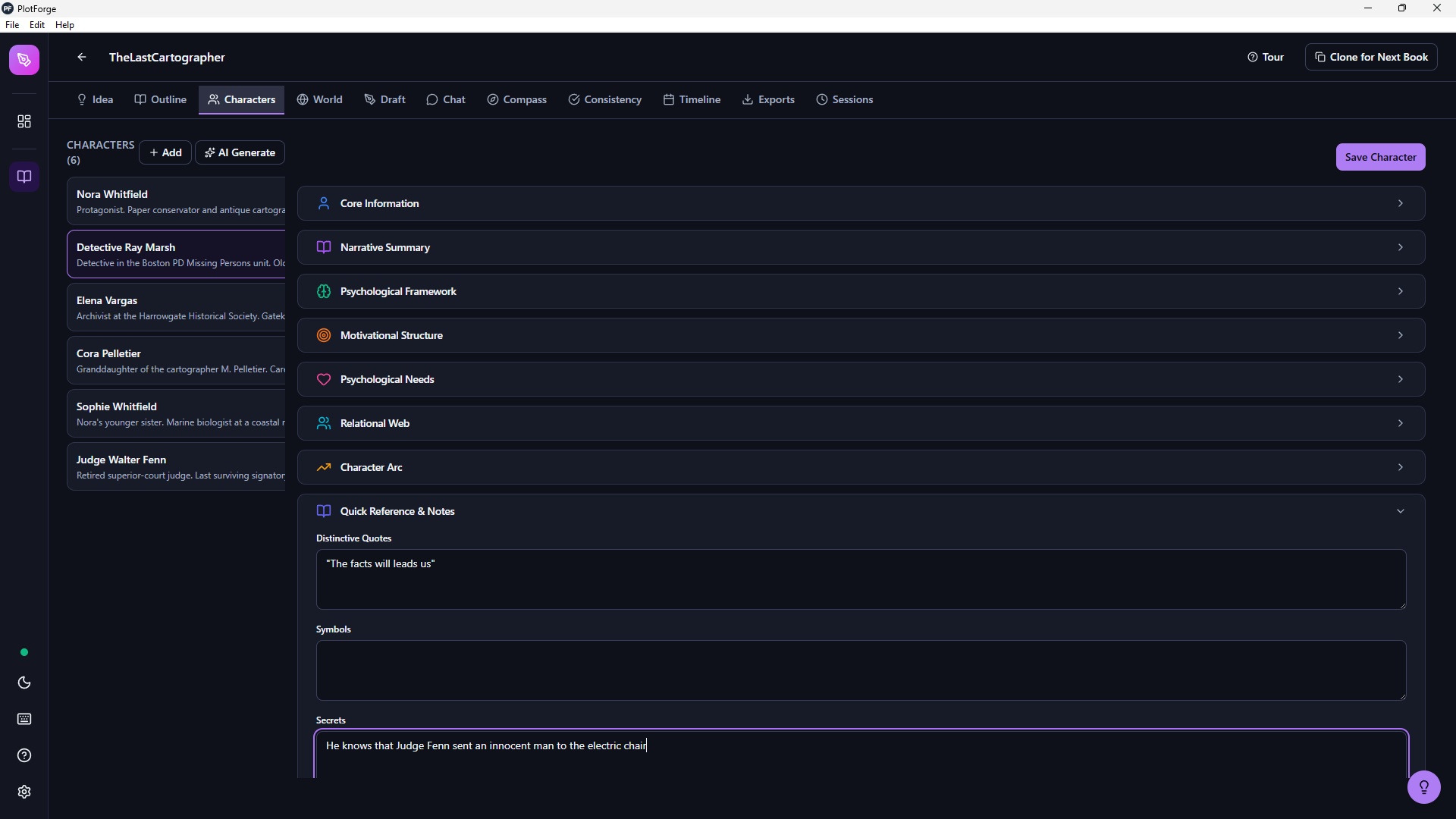
Track relationships, arcs, backstories. AI regenerates one section at a time and respects the story's time period when assigning ages.
Worldbuilding
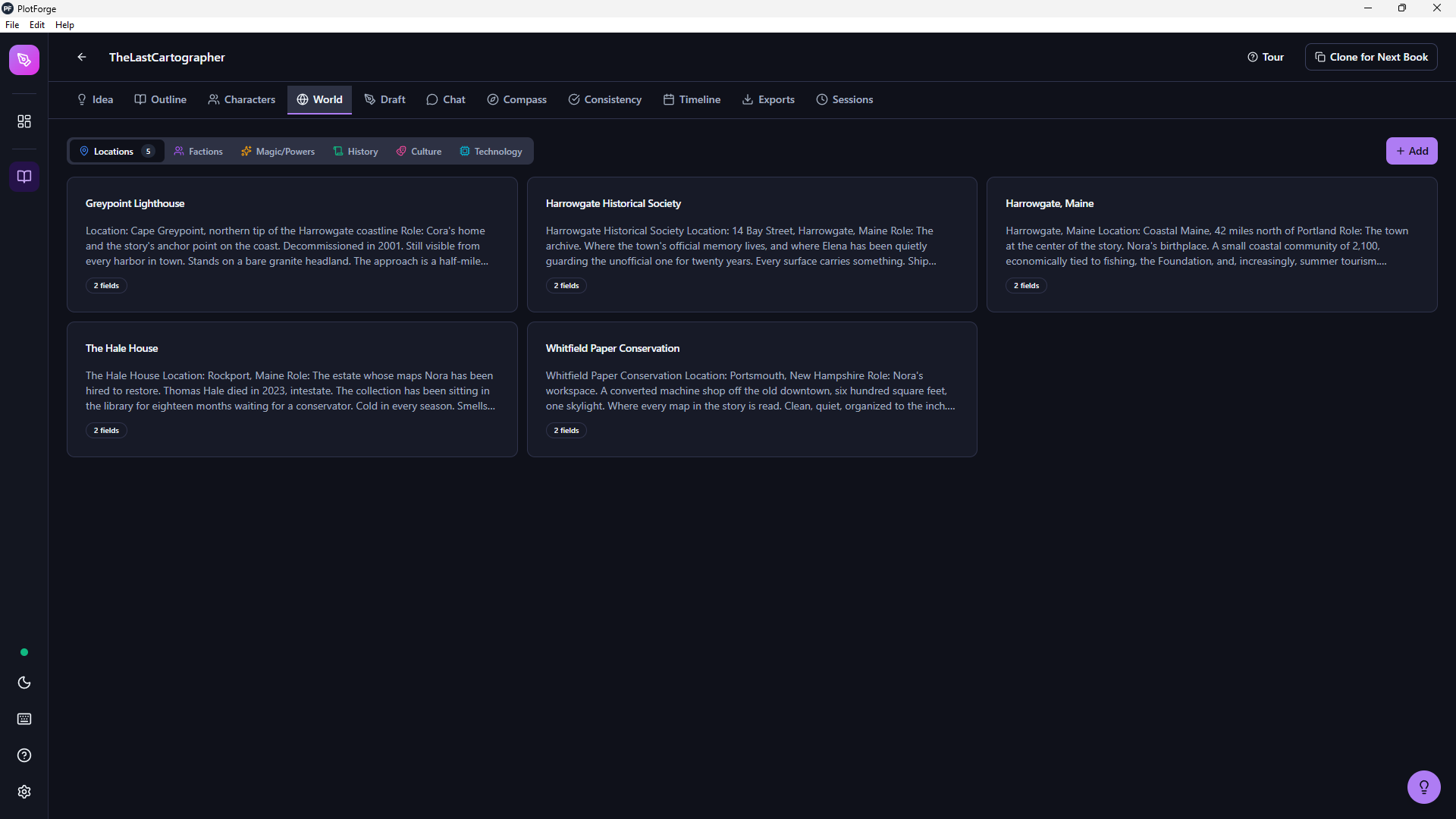
60+ structured fields for locations, cultures, magic systems, factions, and history.
Draft Editor
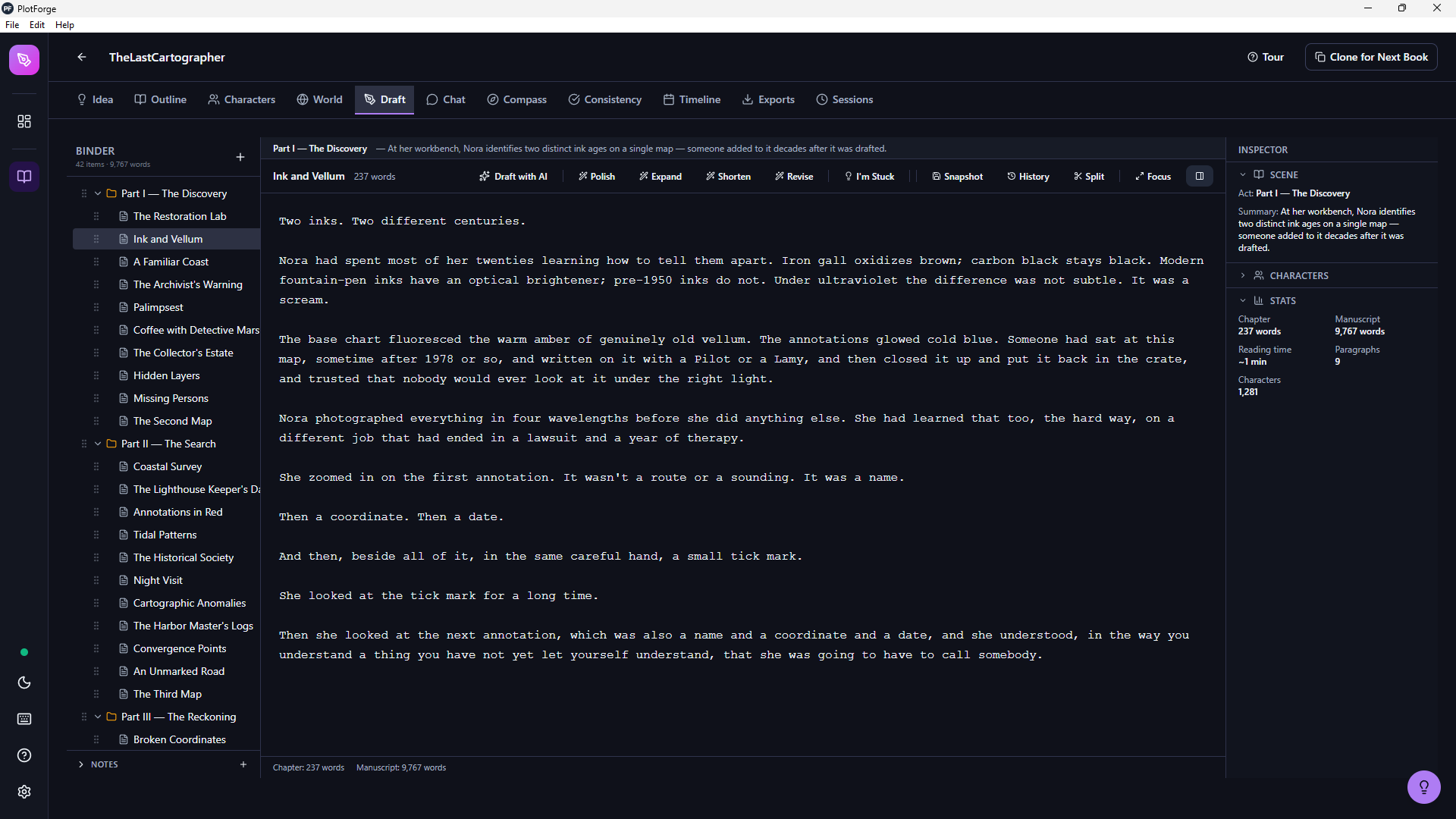
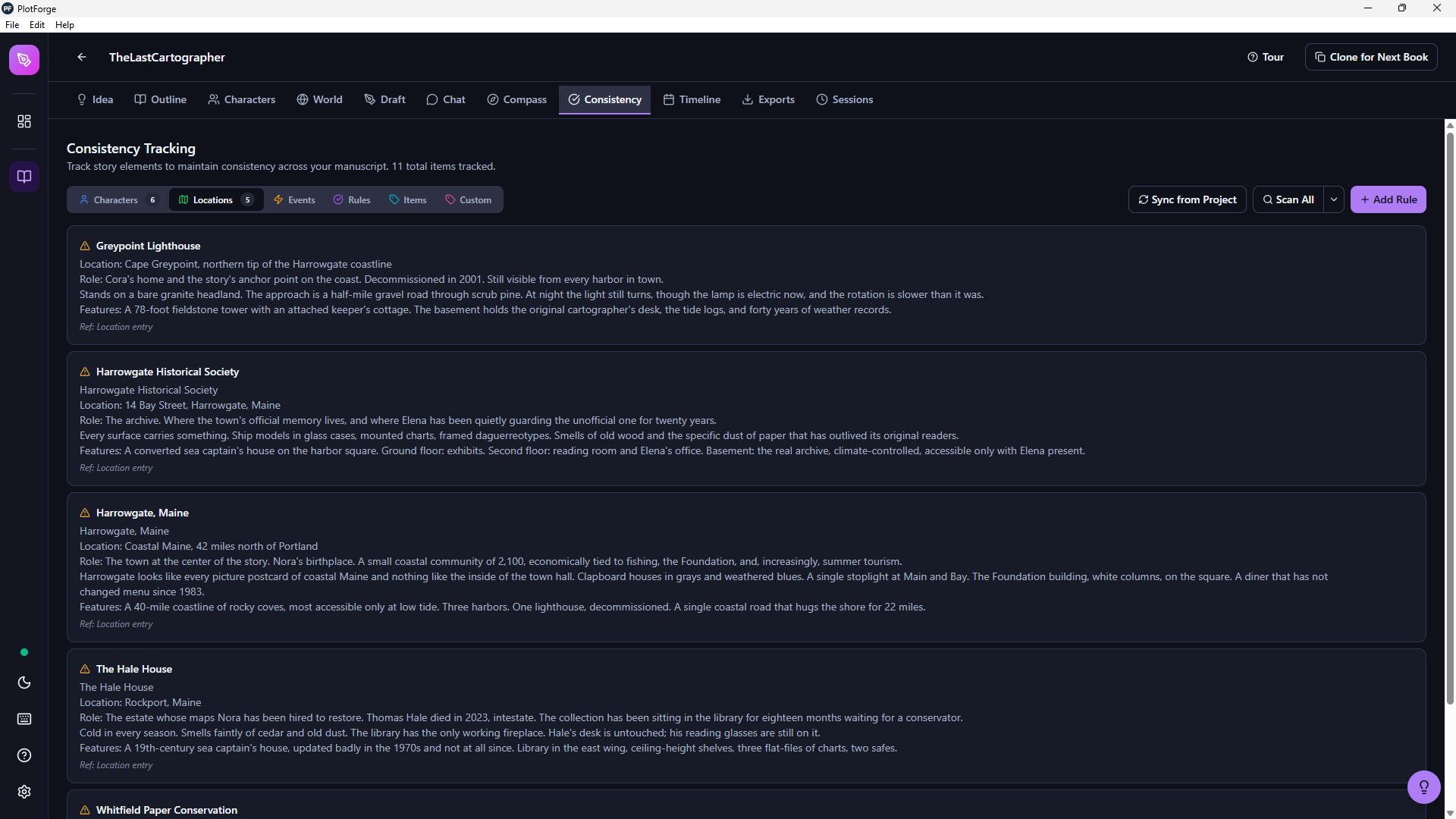
Distraction-free writing with custom fonts, inline notes, focus mode, and Scene Surgery for diff-based AI edits. Ambient crutch-word gauge flags repeat-word usage in the current chapter.
AI Chat
Brainstorm with local AI, or chat in character to workshop dialogue and motivation. Persists your active character per project.
Story Compass
Guided structure templates to keep your plot on track.
Consistency Engine
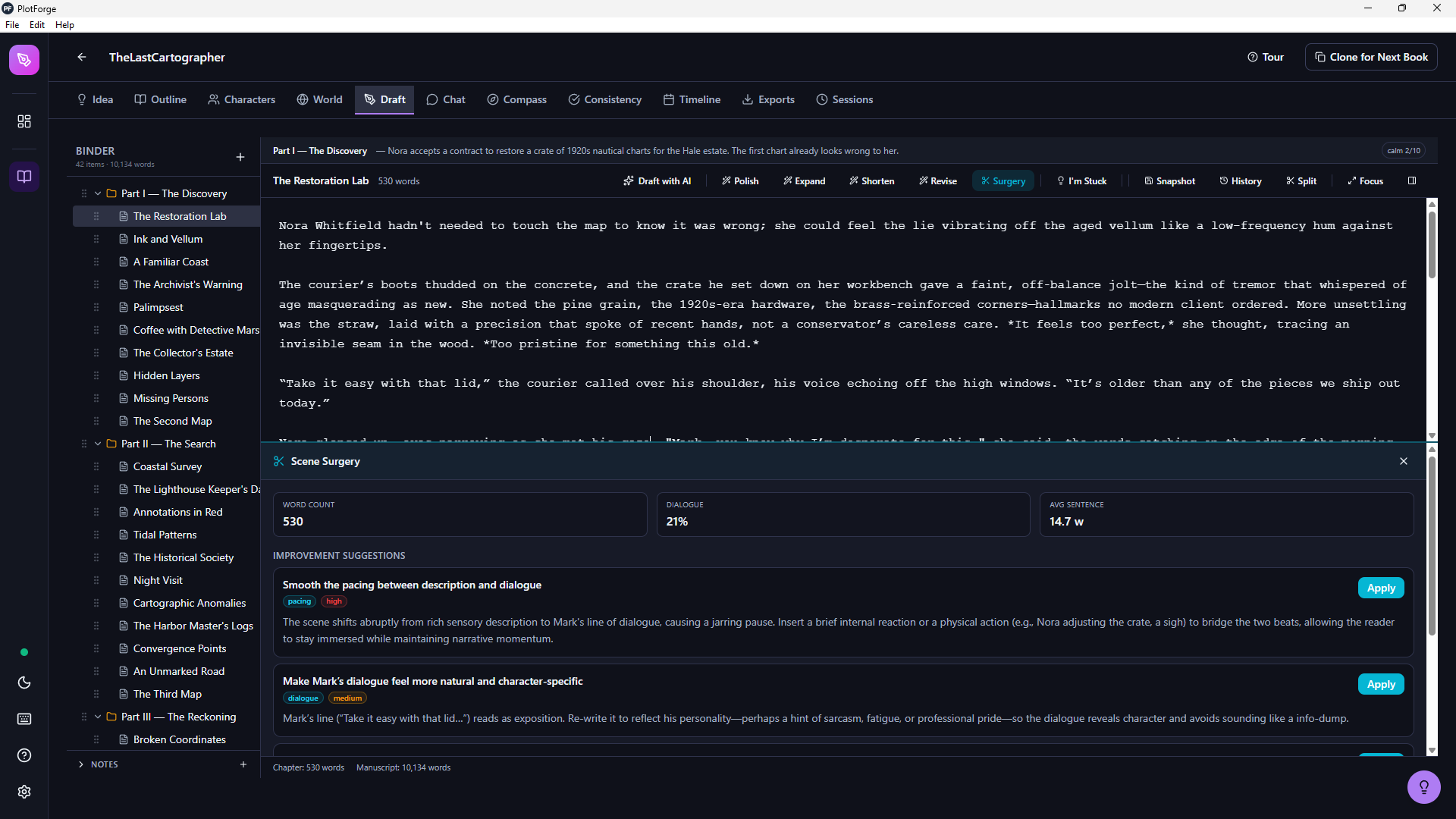
Extract-then-diff scan finds unknown characters, attribute mismatches, and locations that drift from canon. Understands aliases and kinship ("Jax's sister"). Dismissals stick across scans.
Manuscript Review
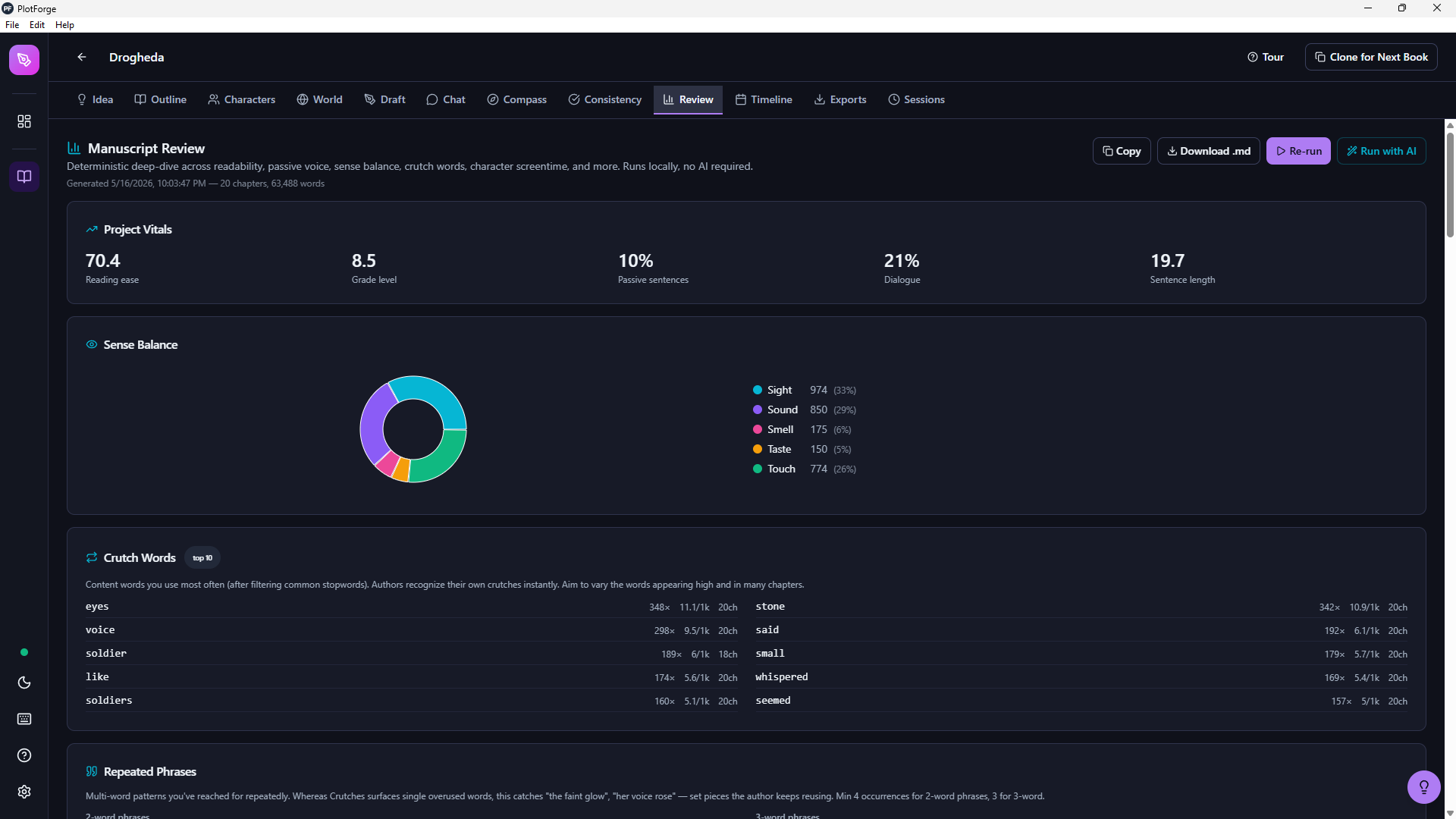
12 analyzers across crutch words, sentence-length variance, sense balance, passive voice, readability, show-vs-tell, phrase repetition, cliches, and character screentime, all shown against typical-fiction baselines. Optional AI-judged cliche and show-vs-tell passes. Exports as Markdown.
Timeline
Map story events, historical background, and link them to chapters and characters.
Sessions
Track writing sprints with word count goals, streaks, and progress stats.
Export
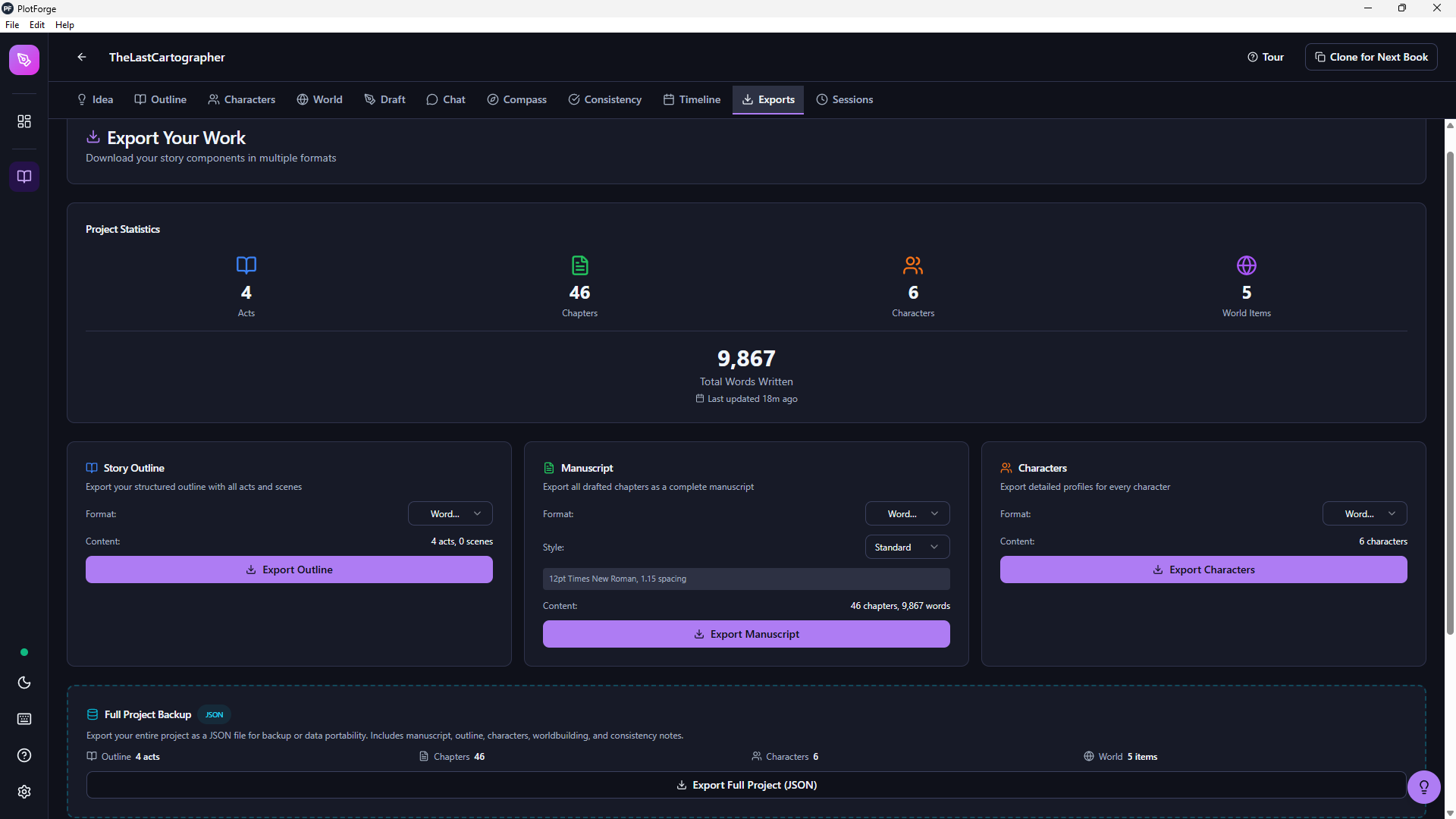
Publish-ready output in standard manuscript format. EPUB, PDF, and DOCX.
AI in context
Narrative-aware AI. Diffs you control.
Highlight a passage and Scene Surgery proposes targeted improvements with diffs you can accept or reject. Tighten prose, clarify motivation, sharpen pacing, all without a chat window, and without losing your voice.
The same review-before-commit principle applies everywhere AI touches your work. Regenerate a single act when only Act 2 feels off. Regenerate one scene without losing the rest. Rewrite just the Psychological section of a character with a note like “former Olympic fencer, lost an eye in a duel”. The AI uses the rest of the character as context so the regenerated section stays consistent.
Because your characters, world notes, and outline live in the same workspace, the AI edits respect the context of your book instead of treating every scene as a blank slate. When the AI needs a one-line walk-on character it asks you to name them rather than inventing one that drifts. When it generates a character in a story set in 1640, the birthdate matches the period instead of contradicting the century. And every chapter of generated prose passes through an AI Prose Sanitizer that strips em dashes, flags banned phrases from your style guide, and keeps the model's tics out of your manuscript.
Built-in consistency engine
Catch contradictions before your readers do.
PlotForge's consistency engine extracts every named character, location, and faction from your manuscript and compares them against your canonical roster. Unknown characters, attribute mismatches (your heroine's eye color shifting between chapters), and worldbuilding drift are surfaced with severity badges and chapter attribution.
The matcher understands article normalization (“the Pulse” resolves to canonical “Pulse”) and kinship aliases (“Jax's sister” resolves to the right character if Jenna's relationship to Jax is recorded). Dismiss a false-positive once and it stays dismissed across every future scan.
Manuscript Review Mode
See the patterns your eyes can't.
Twelve deterministic analyzers run instantly across your manuscript. Crutch words with your character names already excluded. 2-gram and 3-gram phrase repetition. Sentence-length distribution. Sense balance (sight, sound, touch, taste, smell). Passive voice and dialogue ratios. POV consistency. Flesch reading ease and grade level per chapter. Show-vs-tell heuristic. A curated cliche dictionary. Character screentime, presence heatmap, and character co-occurrence.
Hit Run with AI and a local language model augments two of those analyzers with editorial judgment: context-aware cliche detection beyond the curated list, and AI-judged show-vs-tell on the chapters the heuristic flagged. The model returns specific quoted passages so you know exactly where to look.
Every metric is shown against typical-fiction baselines, so a real outlier stands out from normal variation, and a rhythm flag highlights chapters where every sentence runs about the same length. Edit one chapter and re-run the AI on just that chapter instead of reprocessing the whole book. The full report exports as Markdown so you can read it next to your manuscript or share it with your editor. Project rollup plus per-chapter detail. Nothing leaves your machine.
Series continuity
One universe. Every book in sync.
Writing a trilogy or a long-running saga? Link your books into a series and they share one character roster, one worldbuilding bible, and one consistency rule set. Edit Jax in Book 2 and the change lands in Book 1. Add a city in Book 3 and every book in the series sees it instantly. No more keeping the same character alive in three separate databases that quietly drift apart.
You opt in with a single toggle when you clone a project, so existing standalone books are never touched. Shared characters, locations, and rules carry a Series badge so you always know what's shared and what's local, and each book still owns its own outline, chapters, timeline, and scene notes. Changed your mind? A Leave Series action detaches a book back into independent copies, leaving the rest of the series intact.
Shared universe
Characters · Worldbuilding · Consistency rules
Book 1
own outline & chapters
SeriesBook 2
own outline & chapters
SeriesBook 3
own outline & chapters
Series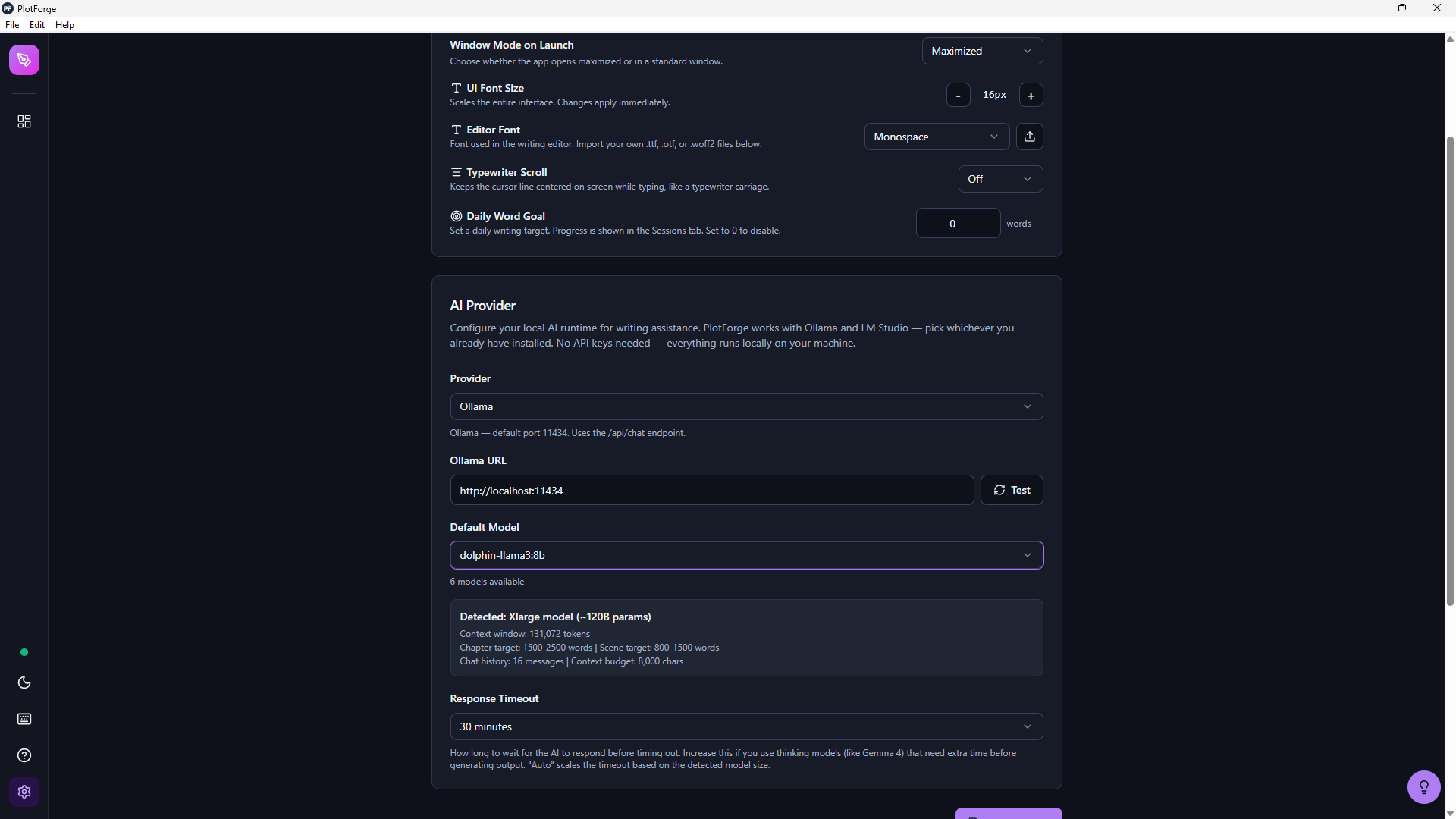
Private by default
Your AI runs on your machine.
Point PlotForge at an Ollama or LM Studio instance and it auto-detects what you have installed, then adjusts quality and scope to match your hardware. No API keys. No token meter. No manuscripts shipped to a cloud.
On an M-series Mac or a PC with a decent GPU, you can run models capable of solid prose. Lighter hardware gets smaller models that still do useful work on outlining, summaries, and targeted edits.
Your work, your formats
Binder in, publishable out.
Two clicks turn your scene-by-scene binder into a clean DOCX, PDF, or EPUB in standard manuscript format. No reformatting, no copy-pasting, no Word plugins.
The hierarchy you build in the binder (parts, chapters, scenes) is exactly the hierarchy that appears in your exported manuscript. Your structure is your structure.
Switching?
Import your .scriv projects directly.
PlotForge imports Scrivener .scriv files so you can bring your existing work with you. No copy-pasting, no lost formatting.
What writers leave behind
- UI designed in 2005
- No built-in AI assistance
- No native Linux support
- Steep learning curve
- Cloud sync issues (Dropbox)
What they get with PlotForge
- Modern, intuitive interface
- Private, local AI via Ollama or LM Studio
- Windows, macOS, and Linux
- Productive in minutes
- True local storage, no sync needed
Simple Pricing
One price. No surprises.
We believe writing software should be a tool you own, not a service you rent.
$79
One-time purchase, yours forever
- All 12 writing tools included
- Local AI via Ollama or LM Studio (unlimited, private)
- Per-act, per-scene, and per-character AI regeneration
- Scene Surgery with diff-based review and auto-snapshots
- AI Prose Sanitizer (em dashes auto-stripped, style guidelines enforced)
- Narrative-aware consistency engine with persistent dismissal
- Series continuity — share characters, worldbuilding, and consistency rules across books
- Manuscript Review with 12 analyzers + optional AI cliche & show-vs-tell
- Ambient crutch-word gauge in the draft editor
- Smart character placeholders for unnamed walk-ons (one-click resolution)
- Era-aware character generation (ages match your story's time period)
- Character chat and dialogue workshopping
- Sampling controls (temperature, top-p) for power users
- Custom font import
- Windows, macOS, and Linux
- Scrivener .scriv import
- Free updates
- No cloud required, no data collection
Or download the free trial first
Frequently asked
Questions writers ask before they switch.
Does PlotForge Desktop work without the internet?+
Is PlotForge Desktop a good Scrivener alternative?+
Does the AI in PlotForge send my manuscript to the cloud?+
What hardware do I need to run PlotForge Desktop?+
How much does PlotForge Desktop cost?+
What operating systems does PlotForge Desktop support?+
Can I get a refund if PlotForge Desktop doesn't fit my workflow?+
What does the consistency engine actually do?+
Can I share characters and worldbuilding across books in a series?+
What does the Manuscript Review tab measure?+
Does PlotForge help with revision, not just first drafts?+
Your story deserves a proper home.
Join 800+ writers already using PlotForge. Download the free trial and start writing today.
Download for Windows